Make an informed choice
EmDash vs Webflow: Visual Design or an Astro-Based CMS?
Compare visual site construction with a developer-led Astro CMS, including editing, hosting, integrations and the limits of code export.
By DashHarbor · Published · Updated
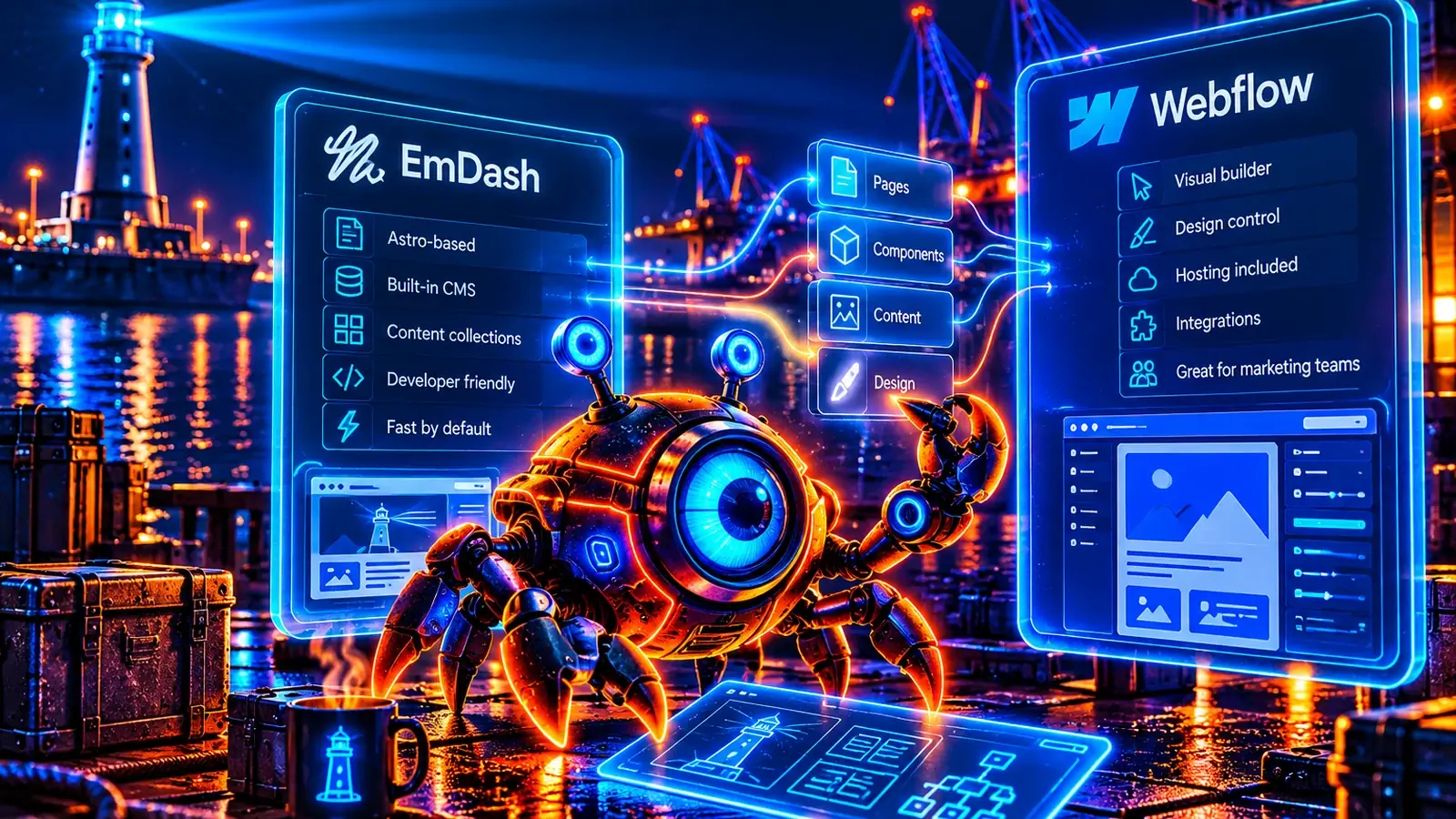
EmDash and Webflow both let a website team manage content, but they solve different parts of building a site. Webflow combines a visual design environment, CMS features and hosted publishing. EmDash adds content management to an Astro application whose layouts and behavior are defined by the project.
The useful starting question is who should control the design. A designer who wants to build and adjust page layouts visually has a different requirement from a developer who wants reusable Astro components and a structured editor for content. Either approach can produce an effective website; neither guarantees good design or easy maintenance.
Documentation and plan information were reviewed on 26 October 2026. This is a workflow comparison, not a performance benchmark. DashHarbor is not a drag-and-drop site builder.
The short version
Choose Webflow when visual website construction is central to the team and its supported CMS, hosting and collaboration features meet the project. It is particularly relevant when a designer needs to make layout changes without handing every adjustment to an application developer.
Consider EmDash when Astro is the intended foundation, a developer or prepared theme supplies the layouts, and editors mainly need to maintain structured content. That can be attractive when the website should belong to a conventional codebase with an explicitly managed runtime.
If you have a successful Webflow site, its design system and editorial workflow have value. Rebuilding them in Astro is a project to justify, not an automatic upgrade.
EmDash vs Webflow at a glance
Requirement | EmDash | Webflow |
|---|---|---|
Main working environment | Astro project with an integrated CMS | Visual site-design and publishing platform |
Layout ownership | Theme and application code, with supported editorial controls | Visual design tools and the configured site system |
Content model | Collections, fields and rich content for the application | CMS Collections, fields and items |
Public hosting | Supported EmDash runtime chosen by the operator or provider | Webflow hosting for the normal integrated CMS publishing workflow |
Developer integrations | Application code, CMS APIs and supported plugins | Data APIs, developer tools and platform integrations |
AI workflow | Supported authenticated CMS tools and coding integrations | Webflow AI and its documented MCP tools, subject to permissions and product scope |
Portability | Application code and content still need compatible runtime and data handling | Code export is not a portable copy of the hosted CMS and its services |
Cost questions | Hosting, development, maintenance and integrations | Site and Workspace scope, collaborators, usage and optional products |
Strongest fit | Developer-led Astro website with a clear content model | Design-led team that values visual page construction |
Architecture: design platform or application project?
Webflow's ordinary website workflow connects its visual environment, CMS and publishing service. Your design choices are made within the platform's capabilities and then published through its supported hosting arrangement. That can reduce the work of assembling a design tool, content editor and public deployment yourself.
EmDash runs as part of an Astro application. The EmDash documentation explains how to query structured content, while Astro provides the templates and route structure. A prepared theme can make that application usable immediately, but new layout behavior may still require code.
This is why “Can an editor change the page?” is too broad a question. Changing a service description is different from rearranging a responsive layout or introducing a new interactive component. Establish which tasks belong to editors, designers and developers before comparing the interfaces.
For a team that actively designs pages visually, Webflow's environment can be the point of the purchase. For a team maintaining a developer-owned application, keeping the website in that codebase can be equally deliberate.
Visual control and the everyday editing experience
Webflow lets the site team work on visual structure and presentation through its design tools. The quality of the result still depends on the design system, responsive decisions and the permissions given to different people. Visual controls do not remove the need to understand how a page should behave.
EmDash editors work with the content and layout controls that the application provides. A prepared service-page template may let them change a headline, benefits and images safely without exposing its spacing and responsive rules. That is useful when consistency matters more than unrestricted design freedom.
Evaluate two separate tasks. First, ask an editor to correct a service description. Then ask a designer to create a different landing-page layout. Observe who can complete each task and whether they can preserve mobile behavior without developer intervention.
A controlled template is not necessarily restrictive in a bad way. A visual design environment is not necessarily easier for every content editor. The right balance depends on the team's responsibilities.
CMS Collections, content structure and reusable pages
Webflow's CMS API documentation describes Collections, fields and items, including staged and live content. That is a structured content system, not merely text placed on a canvas.
EmDash likewise uses collections and fields. A case study can have its own title, summary, client information and related services, with the application deciding how those fields become a page. Both approaches benefit from a model that matches the information editors actually maintain.
Before choosing, inventory the required content types and relationships. Consider whether a reusable record should appear on a list page, a detail page and another related article. Check the limits and behaviors of the exact plan and implementation rather than assuming any CMS can model arbitrary application data conveniently.
If the primary requirement is shared content across several independent applications, also evaluate Contentful or Sanity. That is a different architectural goal from visually building one website.
Publishing, previews and collaboration
Webflow's APIs distinguish staged content from live content, and the surrounding product provides publishing tools for the configured site. Verify who can edit content, change designs and publish changes in the chosen plan and collaboration setup.
EmDash documents a save-and-publish workflow within its admin. Its theme and supported preview implementation determine how a saved draft can be reviewed before visitors see it.
Test a change that affects an existing live page. Can an editor preview a new image and description while the old page remains available? Can a designer review a layout adjustment without releasing unrelated content? Who is allowed to publish the result?
Those questions are more informative than simply checking for a preview button. They also expose the handover costs when an agency builds a site and another team later maintains it.
Hosting and ongoing operations
Webflow operates its hosted platform. Your organization still needs to manage domains, access, custom code and any connected services. A platform-hosted form or CMS feature should be checked against its supported scope and plan, especially if the website handles important inquiries.
EmDash requires a supported application environment with database and media handling. It can run through documented Cloudflare or Node.js arrangements. Somebody must maintain that application and protect its data, whether that is your team or a provider.
The useful operating comparison is not “hosted versus unhosted.” It is which responsibilities each service takes on and which remain with the site owner. Ask about software updates, backups, recovery, monitoring and support before deciding that one arrangement is simpler.
Our managed hosting guide explains the operating work around an EmDash website. It does not turn a developer-led CMS into Webflow's visual design environment.
Pricing: distinguish the site from the workspace
Webflow's current pricing separates different scopes of service, including Site and Workspace arrangements and additional platform capabilities. Check the combination needed for your custom domain, CMS, collaborators, traffic, localization and other requirements.
A plan suitable for experimenting with a design may not be the plan needed to run the finished CMS website. Equally, paying for site hosting does not necessarily grant every workspace or code-export capability. Use the current feature matrix and billing terms rather than a remembered plan name.
For EmDash, include hosting, database and media usage, maintenance, design development and any integrations. A prepared theme can reduce initial implementation work, but a bespoke visual change may still require a developer.
Compare the expected pattern of change. If the design team frequently builds new campaigns, a visual workflow may save more time than a lower hosting bill. If the site uses a stable set of developer-owned templates, a code-based system may be a more natural investment.
Code export and the limits of moving away
Webflow's code-export documentation is particularly important when evaluating ownership. Eligible export provides website code and assets, but it does not reproduce the hosted CMS, its content-bound pages and all associated services as a portable application.
The documentation also identifies limitations around exported search, forms and other platform functionality. Therefore, “We can export the HTML” should not be treated as “We can operate the same CMS website elsewhere without rebuilding anything.” Verify the exact export entitlement and destination requirements.
EmDash also has dependencies and data models that must be preserved during a move. Owning application code does not make every runtime, plugin and integration interchangeable. The practical advantage is an application whose operation can be planned around its documented environment—not an absence of migration work.
In both cases, maintain a record of which system provides each feature. That makes a future change of hosting or CMS a defined project instead of a collection of surprises.
Ecosystem, custom code and integrations
Webflow provides APIs and developer tools for extending its supported workflows. Custom integrations still need an owner for credentials, failure handling and compatibility. A connected CRM or automation service can become as important to the business as the website itself.
EmDash combines its CMS capabilities with Astro and supported plugins. The existence of an extension does not establish that it meets your accessibility, security or maintenance requirements. Evaluate the specific package or implementation.
For a contact form, ask where submissions go, what happens during a delivery failure and how consent and personal information are handled. For search, ask how quickly updated content becomes searchable. For localization, ask who reviews translations and which parts of the site remain untranslated.
Those are practical checks for both platforms. They help avoid choosing a system based on a feature label that conceals substantial implementation work.
Security and responsible access
Webflow publishes a security and compliance overview. Its platform responsibilities do not automatically cover unsafe custom code, compromised accounts or excessive permissions in an external integration.
An EmDash operator must secure the application, CMS access, secrets, database and media. The installed configuration and hosting arrangement determine the actual controls; upstream software descriptions do not prove that every possible feature is enabled on a particular managed site.
Separate design access, content editing and publication authority where the project's needs justify it. Review access during agency handover and staff changes. Neither a visual platform nor a developer-owned application should rely on shared administrative credentials as its normal operating model.
AI tools are available on both sides
Webflow provides AI capabilities and documents an MCP server that exposes supported platform operations to authorized tools. Its documentation states that agents operate within existing permissions and roles. Confirm product scope and any current limitations before depending on a particular operation.
EmDash documents AI tools around authenticated CMS work, while coding assistants can help develop an Astro project. This is not a promise that every hosting provider enables all connections or that generated changes are safe to publish automatically.
Judge an AI workflow by the work it completes safely: understanding a content model, proposing a layout change, reviewing a draft or checking metadata. Keep human review of claims, design and production changes. Prompting convenience is not the same as a recoverable publishing process.
Migration: separate content, design and platform services
Moving between Webflow and EmDash involves more than copying visible text. Inventory CMS records, rich content, assets, references, URLs, redirects, forms, localization and any external integrations. Identify which parts are content and which are behaviors supplied by the platform.
Rebuild a representative page in the destination before committing to the full move. Include a CMS listing and detail page, a form and an unusual layout. Check whether the new editor supports the ongoing work the team expects to perform.
Preserve public URLs where sensible, and map necessary redirects explicitly. Check titles, descriptions, canonicals, indexing directives and sitemaps. Keep the previous implementation available until acceptance and rollback arrangements are understood.
Do not sell a move as a one-click conversion. A familiar appearance can hide different editing and operational capabilities underneath it.
Choose EmDash if the Astro project is the foundation
EmDash can be a good fit when a developer or prepared theme supplies the website structure and editors need a safe way to maintain its content. It suits a team that wants the public site to remain an Astro application with a defined operator.
Make sure the available editing controls cover the intended work. If every campaign requires design changes, account for who will implement them and how quickly they can respond.
Choose Webflow if visual design is central to the team
Webflow is a strong candidate when designers need direct control over pages and the platform's CMS and hosting capabilities fit the website. Its integrated environment can be more useful than assembling separate design, content and publishing tools.
A well-maintained Webflow site may already satisfy the organization's needs. Rebuilding it elsewhere should have a clear benefit large enough to justify recreating the design system and workflow.
Frequently asked questions
Is EmDash a drag-and-drop alternative to Webflow?
Not inherently. EmDash manages content within an Astro application. The theme determines the editing and layout controls available; do not assume Webflow-style visual construction is included.
Can exported Webflow code run the same CMS elsewhere?
Not as a complete copy of the hosted system. Review the official export limitations and plan to replace CMS-driven behavior and unsupported services where necessary.
Can Webflow content be managed through APIs or AI tools?
Yes. Its current official documentation covers CMS APIs and MCP tools. Check permissions, supported operations and product availability rather than assuming unrestricted access.
Which option is cheaper for a small business?
It depends on the required plan, design workflow and maintenance arrangement. Include the cost of changes and integrations, not only hosting. A tool that matches the team's skills may save more than the initial price difference.
Next comparisons and hosting choices
For a publication-led project, read EmDash vs Ghost. For a broader website ecosystem, see EmDash vs WordPress. If the project needs a separate content backend, compare Contentful, Sanity and Strapi in the comparison library.
If an Astro-based site is a good fit, explore EmDash hosting options, managed hosting and DashHarbor's current plans. Choose the design and editing workflow first, then a service that can support it.
Sources and review scope
Official sources reviewed 26 October 2026: Webflow CMS APIs, pricing, code export, security, AI and MCP documentation; EmDash documentation, publishing, deployment, plugins and AI tools. Links appear beside the corresponding claims. Suggested evaluation tasks and suitability judgments are editorial analysis. No paid Webflow trial or comparative performance measurement was performed for this guide.
Keep exploring
Find the right fit for your website.

CMS comparison
EmDash vs Contentful: An Astro Website or a Shared Content Platform?
A practical comparison of an integrated Astro CMS and a shared content platform, covering editorial work, operating costs and migration.
Read the comparison
CMS comparison
EmDash vs Ghost: An Editable Website or a Publishing Business?
A balanced comparison of structured Astro websites and publication-focused workflows, including newsletters, memberships and operating costs.
Read the comparison
CMS comparison
EmDash vs Sanity: Content Modelling, Editing and Astro Websites
Compare content models, Portable Text, editorial customization and operating responsibilities before choosing an Astro CMS or hosted backend.
Read the comparisonYOUR NEXT CHAPTER
Your EmDash website, looked after.
Create a free DashHarbor website. Choose a design, start editing and see how EmDash fits your work. No credit card required.