YOUR WEBSITE, STEP BY STEP
From idea to website.
Without the server setup.
DashHarbor takes care of the managed EmDash environment. You choose a starting design, add your content and use the native EmDash editor to publish.
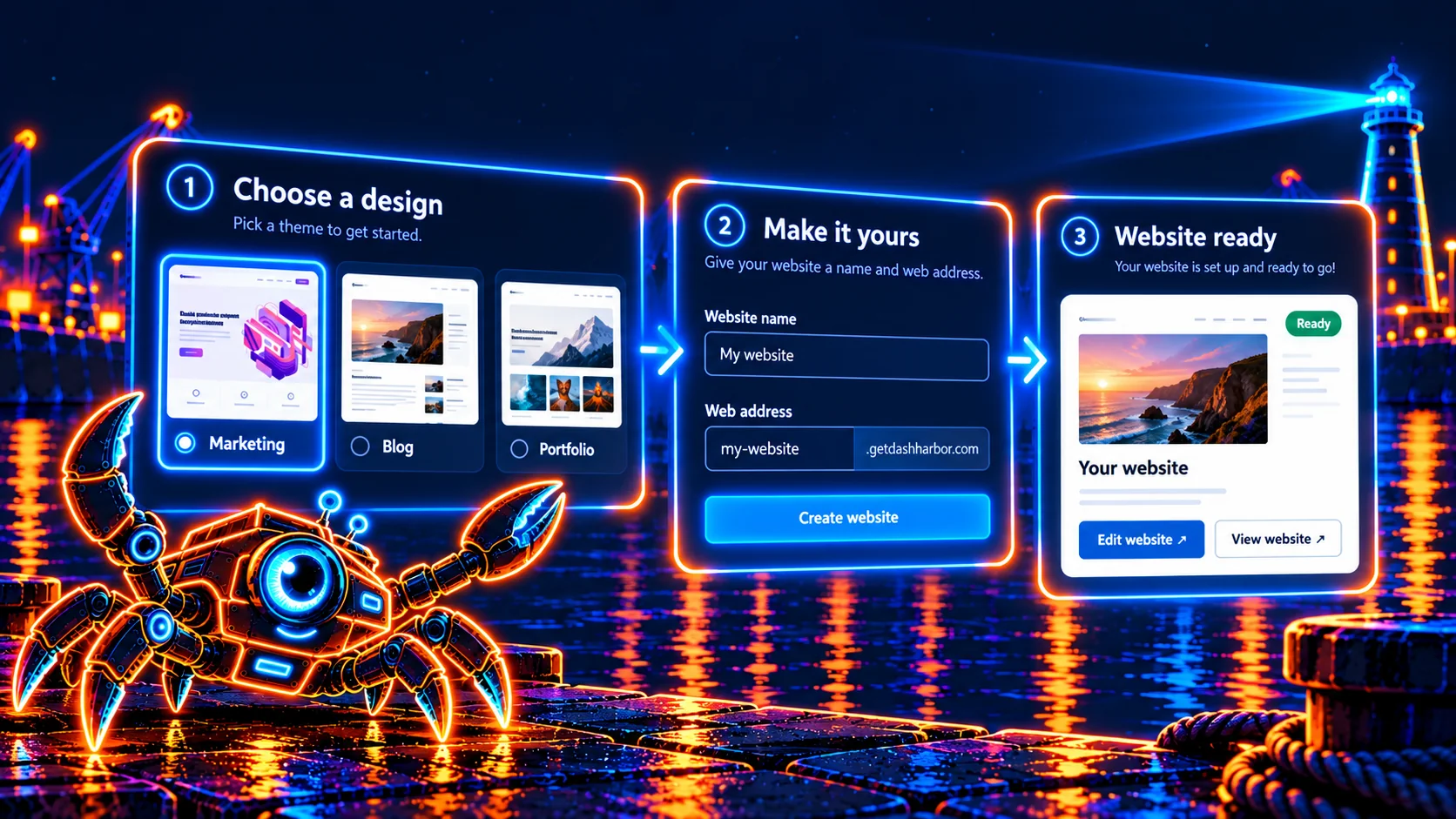
THE PROCESS
Four steps to getting started.
You bring the content. We take care of the hosting.
Create your account
Register, verify your email and accept the current policies. Each verified account gets one free website.
Choose a design
Choose Marketing, Blog or Portfolio, then create your website at a DashHarbor address.
Edit with EmDash
Open your website's native editor and make the content your own.
Publish and review
Publish your changes, open the public website and check how it looks.
CONTENT FIRST
EmDash is where your content lives.
EmDash is the content management system behind your website. The design controls how content is presented; the editor lets you update it without changing the application's source code.
Available editing features depend on the design and its content collections. DashHarbor supplies the managed hosting and editor access around that experience.
Read our introduction to EmDash →AFTER YOU PUBLISH
Improve as you go.
Start small. Make it useful.
A clear homepage, accurate information and working navigation matter more than launching with dozens of unfinished pages.
- Review your website on desktop and mobile.
- Check important links and contact information.
- Update content as your business or project changes.
- Check your account for available features and account details.
READY WHEN YOU ARE
Get your first EmDash website started.
Choose a design and publish your own website, with hosting included.