Your website, looked after
EmDash Staging Sites
Coming soon
Test significant changes away from your live site. Learn where staging helps, what needs isolation, and how it differs from content previews.
A complete guide from DashHarbor · EmDash, explained.
Break things somewhere your visitors can't see them.
Changing a heading? You probably don't need a staging site. Rebuilding your theme, installing integrations, or changing how your database works? That's another story.
A staging site gives you a separate environment to test bigger changes before they reach your live website.
DashHarbor plans to offer managed staging and site cloning for EmDash websites hosted on Cloudflare. The goal is simple: make it easier to test significant changes without turning a routine website update into an infrastructure project.
Availability: Managed staging is coming soon. Native EmDash drafts and previews are already available for everyday editing.
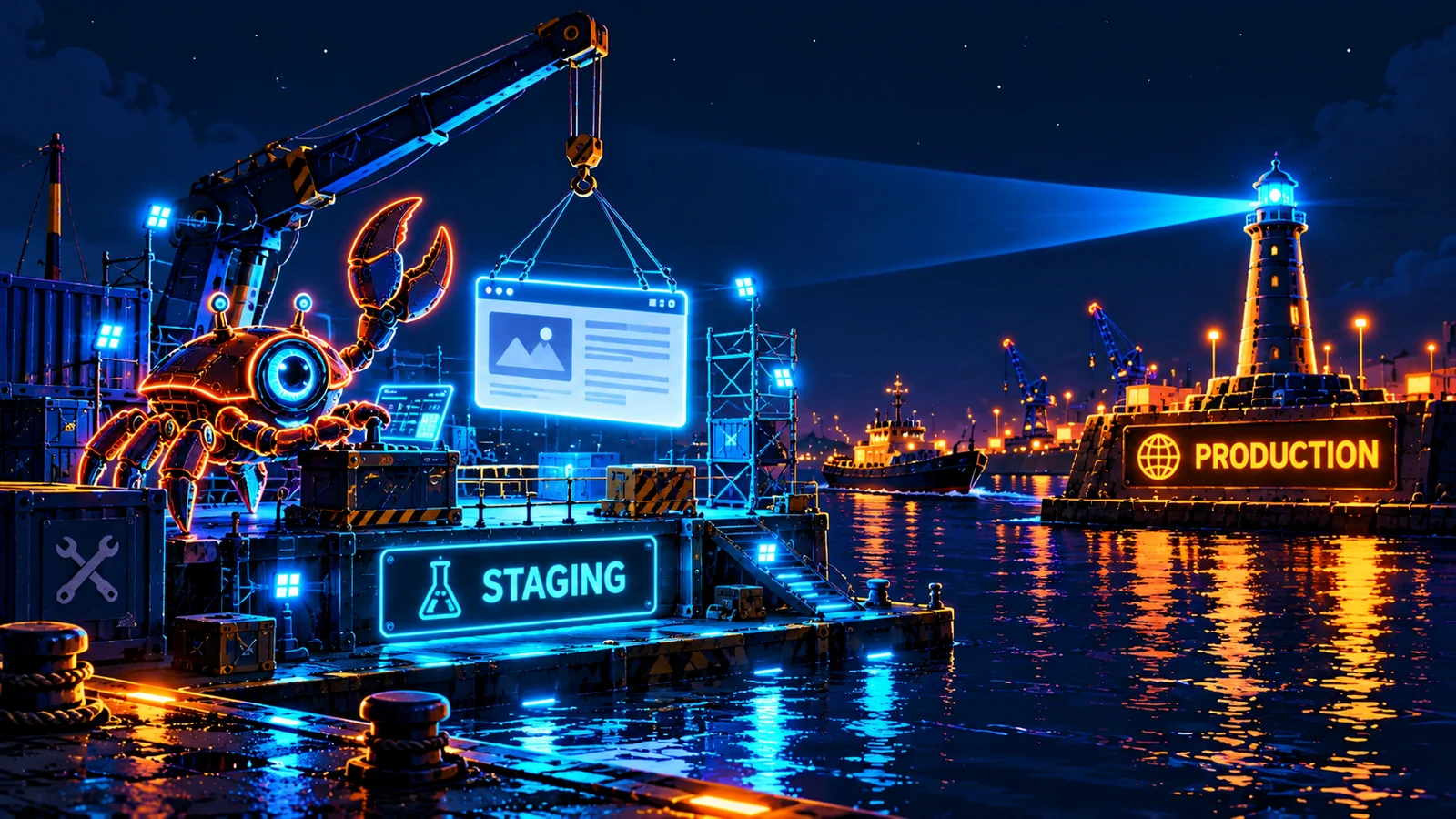
What is an EmDash staging site?
A staging site is a separate version of your website where you can test changes before deploying them to production.
Think of it as a dress rehearsal. Same basic production, fewer people watching, and considerably less embarrassment if something goes wrong.
For a traditional static website, staging can be relatively straightforward. But EmDash combines an Astro-powered application with persistent content, media, and an editing system. A useful staging setup therefore needs more than a copy of the rendered HTML.
It needs enough of the actual application environment to make testing meaningful, while keeping potentially destructive changes away from production.
That's the difference between a staging site and a screenshot of your website that happens to have a different URL.
When do you actually need staging?
Not every website change deserves its own infrastructure.
Fixing a spelling mistake? Use the editor.
Updating a photograph? Use the editor.
Replacing half your theme and modifying the content model? Now we're talking.
Staging becomes particularly useful when you're:
- Redesigning your website. Test substantial layout, navigation, and theme changes before visitors encounter them.
- Updating application code. Check that a new release behaves as expected in a hosted environment.
- Adding integrations. Exercise plugins, APIs, and external services without experimenting directly on production.
- Changing content structures. Test migrations or schema changes against representative data.
- Reviewing a major launch. Give collaborators or customers somewhere to inspect a release before it goes public.
- Troubleshooting a tricky problem. Reproduce an issue without repeatedly interfering with the live website.
The point isn't to make publishing more complicated. It's to separate ordinary content editing from changes that can affect the application itself.
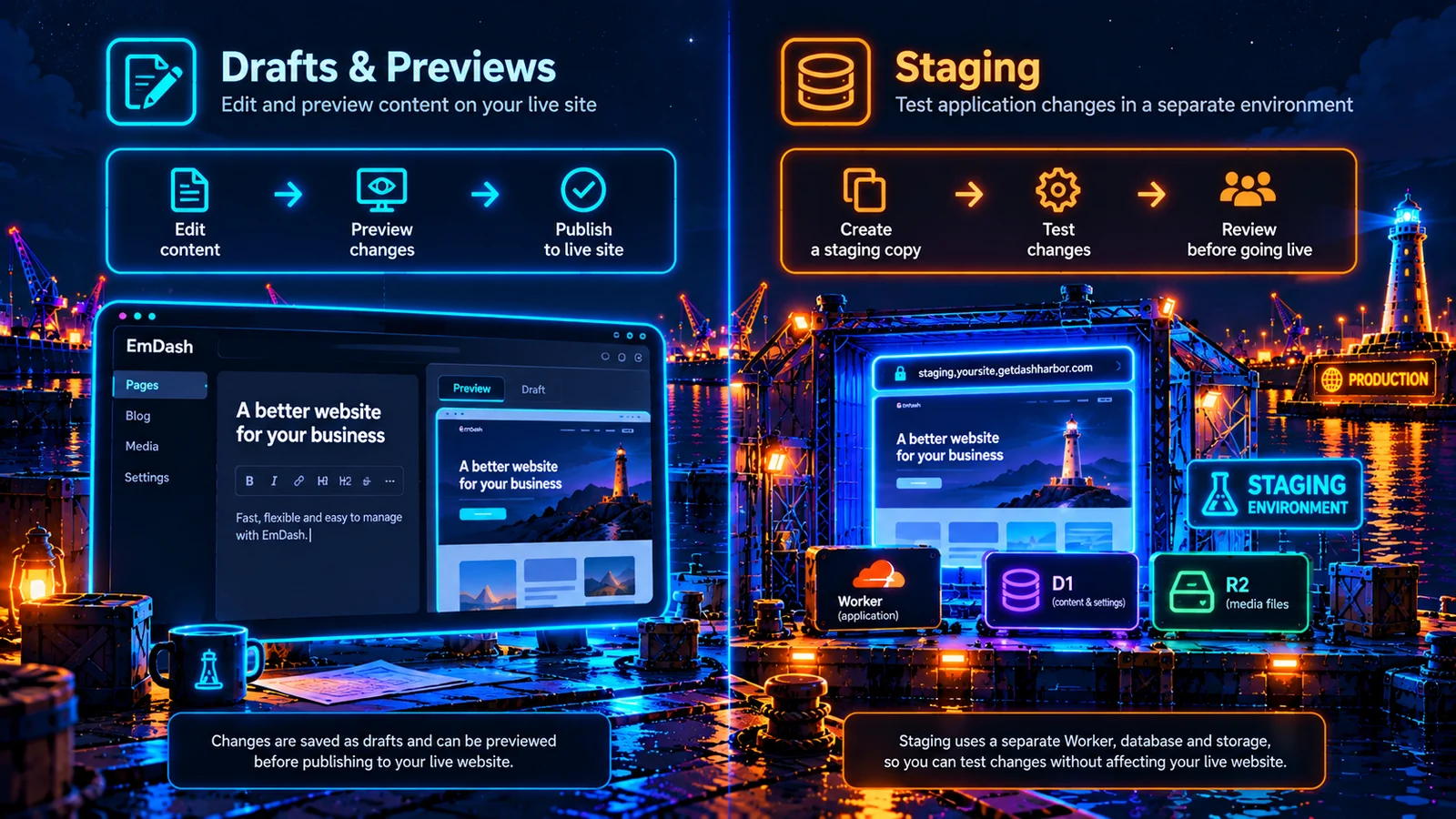
Staging vs. drafts and previews
These are different tools for different jobs. Confusing them can create unnecessary work.
EmDash drafts and previews | Staging environment | |
|---|---|---|
Edit page content | Yes | Yes, depending on the setup |
Review unpublished content | Yes | Yes |
Test a new application build | Not a substitute | Yes |
Test database migrations safely | No | Yes, with isolated data |
Test a major theme redesign | Limited to the preview workflow | Yes |
Requires a separate environment | No | Yes |
Use drafts and previews for content. Use staging when you need to test the system around that content.
EmDash already provides native content-editing and preview workflows. For many small websites, that's enough for most day-to-day publishing.
You don't need to build a second website just to change a paragraph.
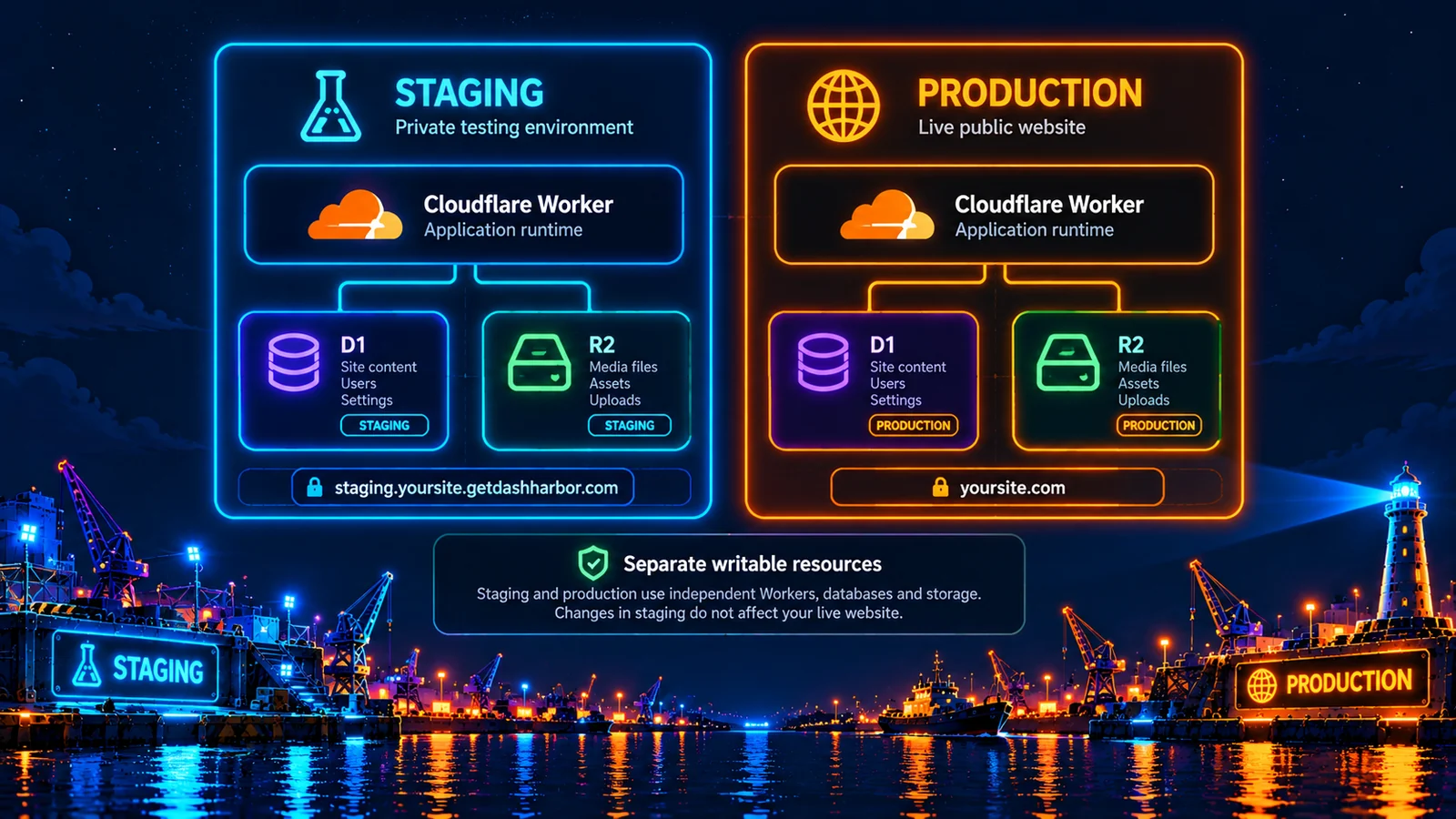
What needs to be isolated in an EmDash staging site?
Here's where staging gets interesting.
A separate URL doesn't automatically mean a separate environment. If your staging website is writing to your production database, you're not testing safely. You're testing production while wearing a fake mustache.
For a managed EmDash site on Cloudflare, proper staging needs to consider several components.
Component | What a useful staging setup needs |
|---|---|
Application | A build that accurately represents the version you're testing |
Database | Separate writable data, rather than unrestricted access to production |
Media | Isolated storage or carefully controlled copies |
Editor | Appropriate authentication and permissions |
Routes and domains | A distinct staging hostname |
Secrets and integrations | Safe configuration that doesn't accidentally trigger production actions |
Search indexing | Protection against exposing test content in search results |
Deployment | A way to test and approve changes before touching the live site |
Not every staging environment needs a complete copy of every production resource. It needs the right level of realism for the change being tested.
And isolation must be real, not merely cosmetic.
What is website cloning?
Cloning creates another working copy of a website. Staging describes what you use that copy for: testing changes before production. A safe clone needs clear boundaries around content, media, configuration, credentials, and external services.
EmDash Cloning has its own feature page. Use staging to test a live website; use cloning to make a separate copy. Both are coming soon.
Staging vs. backups and recovery
Staging helps you catch problems before they reach production.
Backups and recovery help you recover when something has already gone wrong.
They're complementary, not interchangeable.
Imagine you're updating an EmDash theme.
With staging, you can deploy the new version into a separate environment, inspect the results, and catch broken layouts before launch.
With recovery, you can restore an earlier protected state if a production change causes problems.
Ideally, you have both.
But staging doesn't eliminate the need for backups. Even thoroughly tested changes can behave differently in production, especially when real traffic, data, and third-party integrations become involved.
And backups don't eliminate the value of staging. Recovering from an avoidable problem is still more disruptive than catching it beforehand.
Why not just develop locally?
You absolutely can. For developers, local development is often the fastest way to write code and experiment.
But your laptop isn't necessarily a faithful copy of your hosted environment.
An EmDash website running on Cloudflare may use Workers, D1 databases, R2 storage, authentication, and other hosted services.
Local development is useful for building and debugging. Staging becomes useful when you need to verify how those changes behave in an environment closer to production.
There's also the practical benefit of sharing a staging URL with someone who doesn't want to install Node.js, configure a database, and learn your development workflow just to approve a new homepage.
Fair enough, really.
How DashHarbor staging works
Our aim is to make staging and site cloning part of the managed hosting experience rather than something every customer has to assemble themselves.
The intended workflow is straightforward:
- Create a separate managed environment for your existing EmDash site.
- Keep staging changes isolated from the production website.
- Test application updates, themes, integrations, or larger content changes.
- Review the results before deciding what should go live.
- Keep production serving visitors throughout the testing process.
The details matter. In particular, safely creating copies, managing access, isolating resources, and moving approved changes into production all need careful design.
We're not going to describe that as a magical one-click solution before we've built and tested it.
Managed staging and cloning remain on the DashHarbor roadmap. Managed staging is coming soon; it is separate from the drafts and previews you can use now.
For now, the priority is dependable EmDash hosting, publishing, and recovery.
Frequently asked questions
Does EmDash require a staging site?
No. Many EmDash websites can handle routine content changes using the native editor, drafts, and previews.
Staging becomes more valuable when you're changing application code, database structures, integrations, or significant parts of the design.
Does DashHarbor currently offer staging sites?
Not yet. Managed staging is coming soon; use native EmDash drafts and previews for content changes today.
Can I use EmDash drafts instead?
For ordinary content editing, yes. Drafts and previews let you review content without treating every change as a new application deployment.
They aren't a replacement for testing code changes or database migrations in an isolated environment.
Is staging the same as backing up my website?
No. Staging is for testing future changes. Backups and recovery are for restoring an earlier state.
You shouldn't rely on a staging copy as your only recovery mechanism.
Should staging sites appear in Google?
Generally, no. A private staging environment is intended for testing, not attracting search traffic.
Access protection should be the first line of defense. Appropriate indexing controls provide an additional safeguard, but a noindex instruction alone doesn't make sensitive content private.
Will DashHarbor automatically publish staging changes to production?
The production-promotion workflow hasn't been finalized. Copying application changes, content, and database state safely is more complicated than moving files between two folders.
We'll document exactly how promotion works when the feature is ready.
Good changes deserve a proper test run.
Your live website should be the place visitors see the finished work, not the place you find out whether your latest change broke the navigation.
Managed staging is coming later. In the meantime, DashHarbor is focused on making EmDash hosting easier to deploy, manage, update, and recover.
[Explore DashHarbor's hosting features](https://getdashharbor.com/features/)
See what your free website includes and which managed features are coming soon.
Related reading: EmDash hosting, EmDash on Cloudflare, protected updates, and backups and recovery.