Your website, looked after
EmDash Website Cloning
Coming soon
Understand what makes a useful website copy, what needs to stay separate, and where cloning fits alongside staging and recovery.
A complete guide from DashHarbor · EmDash, explained.
Copy your website. Leave production alone.
Sometimes you need a fresh start. Not a *completely* fresh start, though. You've already built the website, written the content and spent far too long getting everything where you want it.
What you need is a copy.
Website cloning gives you another version of an existing site to work with, without immediately changing the original.
DashHarbor plans to introduce managed EmDash site cloning, making it easier to create a separate copy without having to assemble another Cloudflare deployment yourself.
Current availability: Self-service cloning is coming soon. A free account includes one published website.
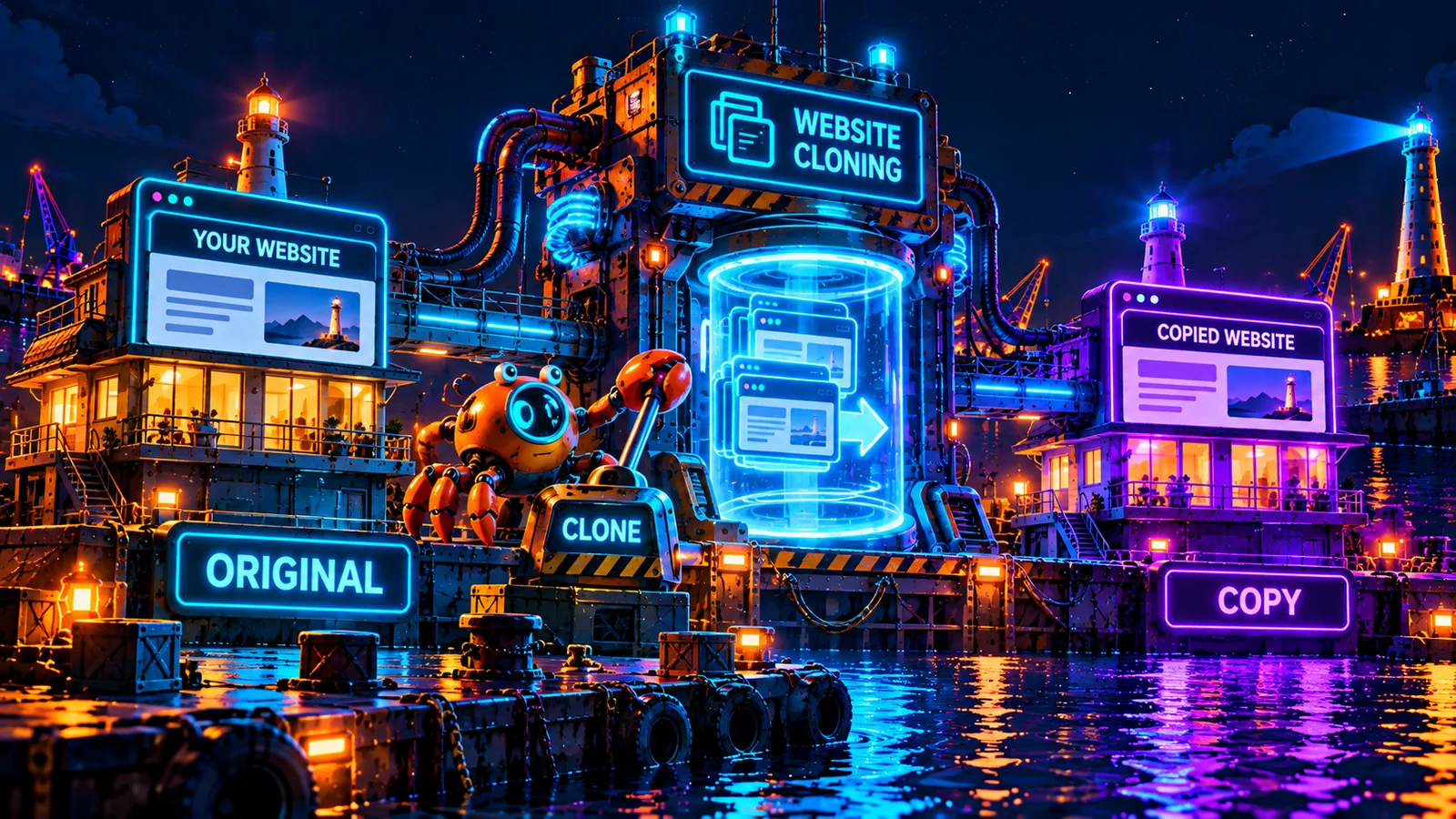
What is EmDash website cloning?
Website cloning means creating another working instance of an existing website.
Ideally, that copy includes the content, media, structure and presentation you need to make it useful.
For an EmDash website, that involves more than copying a directory of HTML files. EmDash combines an application with a content management system, database and media storage. If you want a copy you can actually edit and test, those pieces need to be accounted for.
A copied homepage that still writes to the original production database isn't an independent website. It's a potential disaster with a different address.
A useful clone has its own identity and appropriately separated writable resources.
When would you clone an EmDash website?
Cloning is useful when you want to start with something that already works rather than rebuilding everything.
Some common reasons include:
- Major redesigns. Keep the existing website running while you experiment with a new layout, navigation or theme.
- Development and testing. Work with a representative copy of your existing content and structure.
- Trying a new direction. Explore a different design or content arrangement without committing to it.
- Creating similar websites. Use an established website as a starting point, where permissions and licensing allow.
- Investigating problems. Reproduce an issue somewhere that won't disrupt visitors.
- Preparing a migration. Check whether content and media can move into a different supported environment.
You don't need to clone a website every time you change a sentence. But when the proposed change affects large parts of the website, having a separate copy can save considerable trouble.
What should a website clone include?
That depends on what you're trying to accomplish. A copy used to test a redesign has different requirements from one intended to become an independent website.
Component | What needs considering |
|---|---|
Website design | The theme, templates and application version |
Content | Pages, posts and structured content |
Content models | Collections, fields and relationships |
Media | Images, documents and other uploaded assets |
SEO | Metadata, redirects and site-specific URLs |
Database | A separate writable copy where required |
Users and permissions | New or explicitly mapped access |
Integrations | Safe configurations for the copied environment |
Hosting | Independent runtime resources and routing |
Some information should not automatically follow the copy.
Passwords, tokens, production API credentials and other secrets need separate handling. The same goes for anything that can send emails, collect payments, publish information or change data in external systems.
The goal is to copy the website, not accidentally give it a second set of hands on your production accounts.
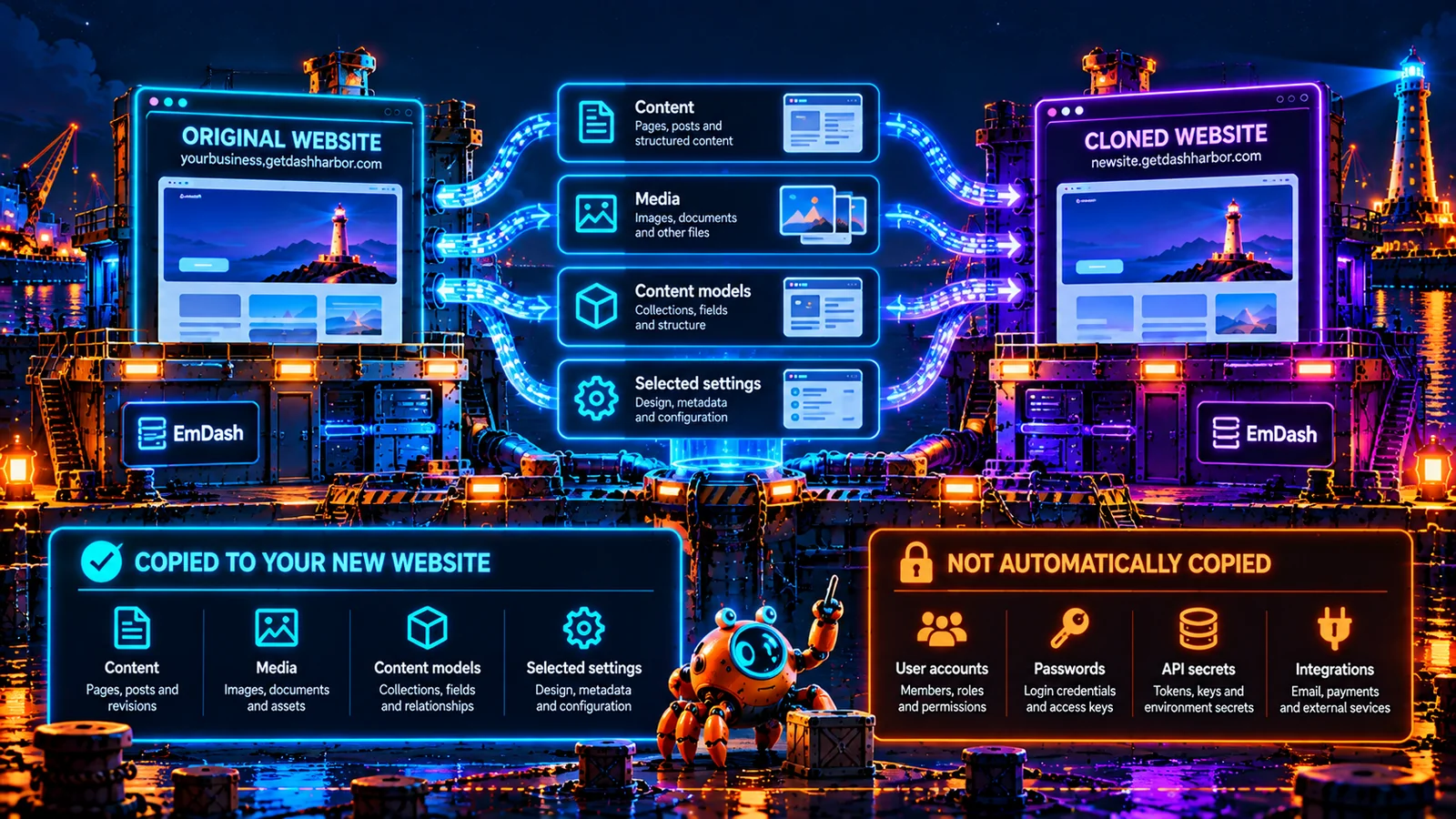
EmDash already has site transfer capabilities
There's an important distinction between what the underlying CMS supports and what DashHarbor currently offers as a managed service.
EmDash's documented site-transfer system can package content models, content, editorial history, site presentation, media and selected settings for import into another compatible EmDash deployment. It supports transfers between different database backends, including Cloudflare D1.
However, a site-transfer package is not the same thing as a fully provisioned, ready-to-use managed clone. The receiving installation needs its own compatible deployment and configuration, and the destination content area must meet EmDash's import requirements.
The package deliberately excludes user accounts, credentials and secrets. It can contain personal information present in entries or comments, so transfer packages should be handled with care.
For developers who enjoy configuring infrastructure, that's manageable. For someone who just wants to work on a copy of their website, it's more setup than they probably had in mind.
DashHarbor cloning gives you a separate copy to work on while your live website stays in place.
Further reading: EmDash's official site-transfer documentation.
Cloning vs. staging: aren't they the same thing?
Not quite.
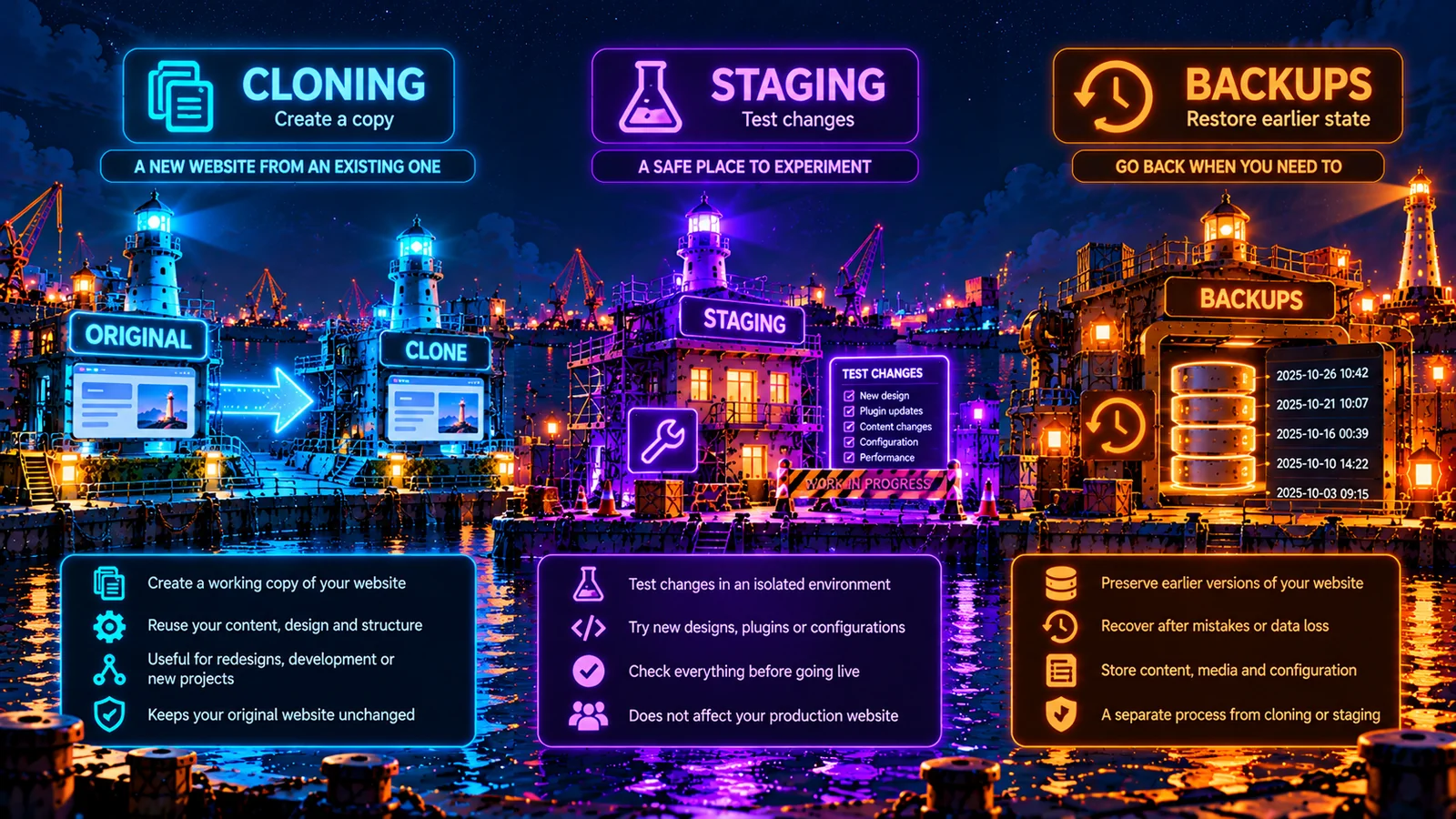
Cloning describes creating a copy of a website. Staging describes using a separate environment to test changes before they reach production.
You might create a clone specifically for staging, but you could also create one as a starting point for another website.
Cloning | Staging | |
|---|---|---|
Primary purpose | Create a working copy | Test changes before launch |
Starting point | An existing website | A production-like environment |
Typical use | Copying, development, experimentation | Pre-production testing |
Relationship to production | May become independent | Usually supports the production workflow |
Think of cloning as making the copy and staging as deciding what to do with it.
If your main concern is safely testing application changes, read our EmDash Staging Sites guide.
Cloning isn't a backup strategy
A clone may preserve a useful copy of your site's content and configuration, but it shouldn't replace proper backups.
Backups are designed to help restore an earlier state after data loss, corruption or an unwanted change. Cloning is primarily about creating another working environment.
A clone can develop its own changes. It may have different credentials, content, software versions or hosting configuration.
If production breaks, you shouldn't assume a working clone can automatically restore everything to its previous state. That's what a tested recovery process is for.
The problems a good cloning workflow should prevent
Cloning sounds simple until the copied website starts behaving like the original.
Imagine you've cloned a site to test a redesign. The new copy looks excellent. Then you discover it has been sending notifications to real customers, appearing in Google search results or updating the original site's database.
Not ideal.
A well-designed cloning process needs safeguards around three things.
1. Data isolation
The clone needs clearly separated writable resources where changes must not affect production. That includes understanding which database, media storage and application settings belong to which environment.
2. Access and privacy
A copied website may contain unpublished content or personal information.
The clone needs appropriate access restrictions, and sensitive information should not be copied unnecessarily.
A noindex tag is useful for search engines. It isn't a substitute for authentication.
3. External services
Integrations, webhooks, emails, analytics and API credentials all need attention.
A test website shouldn't send real customer emails just because somebody clicked the wrong button.
The safest default is to treat the clone as a separate environment, then deliberately enable only the integrations it needs.
How DashHarbor cloning works
The intention is to make site copying part of the managed hosting experience.
Rather than asking customers to configure another application, database and storage environment themselves, DashHarbor aims to manage the underlying infrastructure.
The workflow is straightforward:
- Choose an existing managed EmDash website as the source.
- Create a separate copy with appropriately isolated resources.
- Review its content, media, design and access settings.
- Use the copy for development, testing or another supported purpose.
- Keep the original website operating independently.
That describes the direction, not a finished product.
The final implementation still needs decisions about resource limits, copy permissions, storage requirements, ownership, synchronization and whether changes can be promoted back to the original website.
We won't promise a magical one-click copy button before those questions have been answered.
Frequently asked questions
Can I clone my DashHarbor website today?
Not yet. Self-service cloning is coming soon.
Can EmDash itself copy website content?
Supported EmDash versions provide site-transfer functionality for exporting and importing portable website packages.
The exact capabilities available depend on the version and installation. That doesn't automatically provision a second managed DashHarbor website.
Will a clone include my images and pages?
A useful clone represents the website you need to work on.
The exact inclusion rules for content, media, settings and application versions will be documented when the feature is implemented.
Will a cloned website use the same domain?
A separate hosted website needs a distinct address while both versions exist. The final hostname and custom-domain arrangements for DashHarbor cloning haven't been announced.
Does cloning give me another free website?
No. Each verified free account includes one published website. Cloning does not change that allowance.
Can changes from a clone be copied back to production?
That workflow hasn't been finalized. Moving selected changes safely is different from simply copying an entire database back over the live website. We'll establish clear rules before offering it.
Start with one website. Build from there.
You don't need cloning to get started with EmDash.
DashHarbor already lets you create a working website, choose a supported design and edit content using the native EmDash editor.
When managed cloning becomes available, the goal is to make bigger experiments easier without putting the original website at unnecessary risk.
[Create your free website](https://app.getdashharbor.com/register)
Or explore all DashHarbor features to see what's available and what's coming next.